Rastimo zajedno
Marketing i prodaja na učinak

Podrška za korisnike

Support ticket mogu otvoriti svi registrirani korisnici te pratiti njegov status i odgovore našeg tima.

Podrška za vendore

Vendori mogu slati support tickete kroz svoje administratorsko sučelje te pratiti njihov status i odgovore našeg tima.

USPS

  • In the Administration panel, go to Administration → Shipping & taxes → Shipping methods.
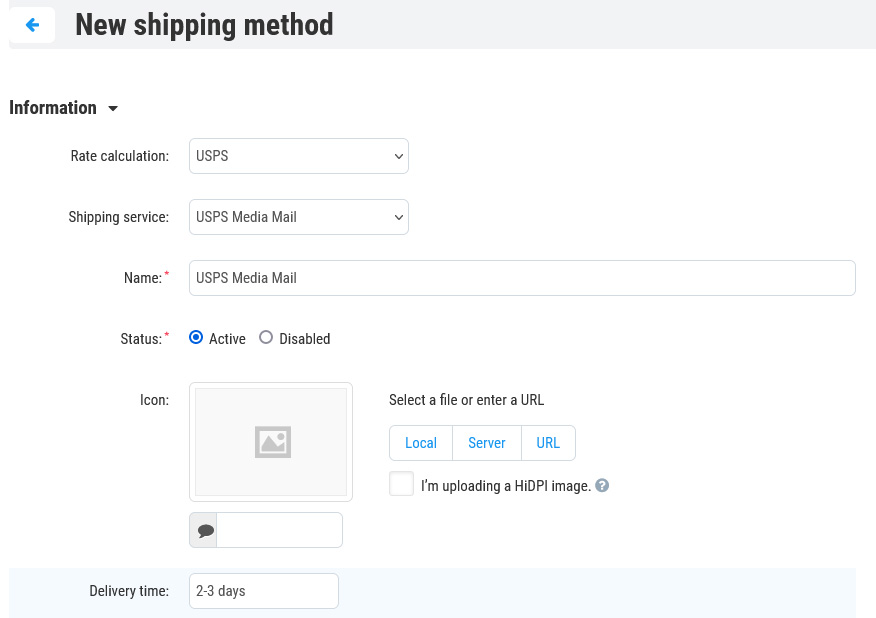
  • Create a shipping method with the + button in the upper right part of the page, or choose an existing one by clicking on its name.
  • Set Rate calculation to Realtime, select USPS as a Carrier, and choose USPS Media Mail (or another USPS service) as a Shipping service.
 
 
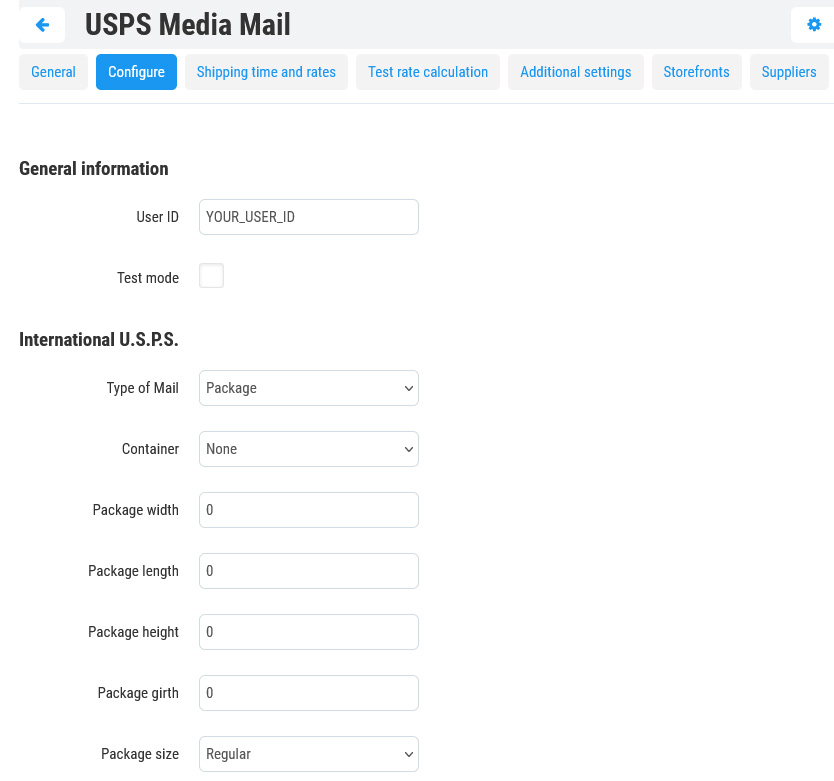
  • Open the Configure tab and specify the necessary settings there. Enter your USPS credentials in the User ID field. If you do not have any, you need to sign up for the USPS User ID here.
You should confirm your USPS User ID before using it. Call USPS (800-344-7779) to activate your account on the production servers. It will not work until you do this.


Only some specific requests for retrieving shipping costs work properly when the Test mode option is enabled.
  • (optional) Switch to the Shipping charges tab and define shipping charges which will be added to the ones returned by USPS.
  • Click Save (or Create, if you’re adding a new shipping method).
  • Return to the General tab, click the Test rate calculation link, enter the desired value into the Weight (lbs) input field, and click the Test button to make a test calculation of shipping charges.
 
Zajedno stvaramo nove prilike

Pridruži se našoj mreži

Profesionalaca u online prodaji i digitalnom marketingu

Mreža prodavatelja i partnerskih stručnjaka iz cijelog svijeta za brži rast prodaje.

Kreni danas